Your print shop’s inventory, always aligned with production
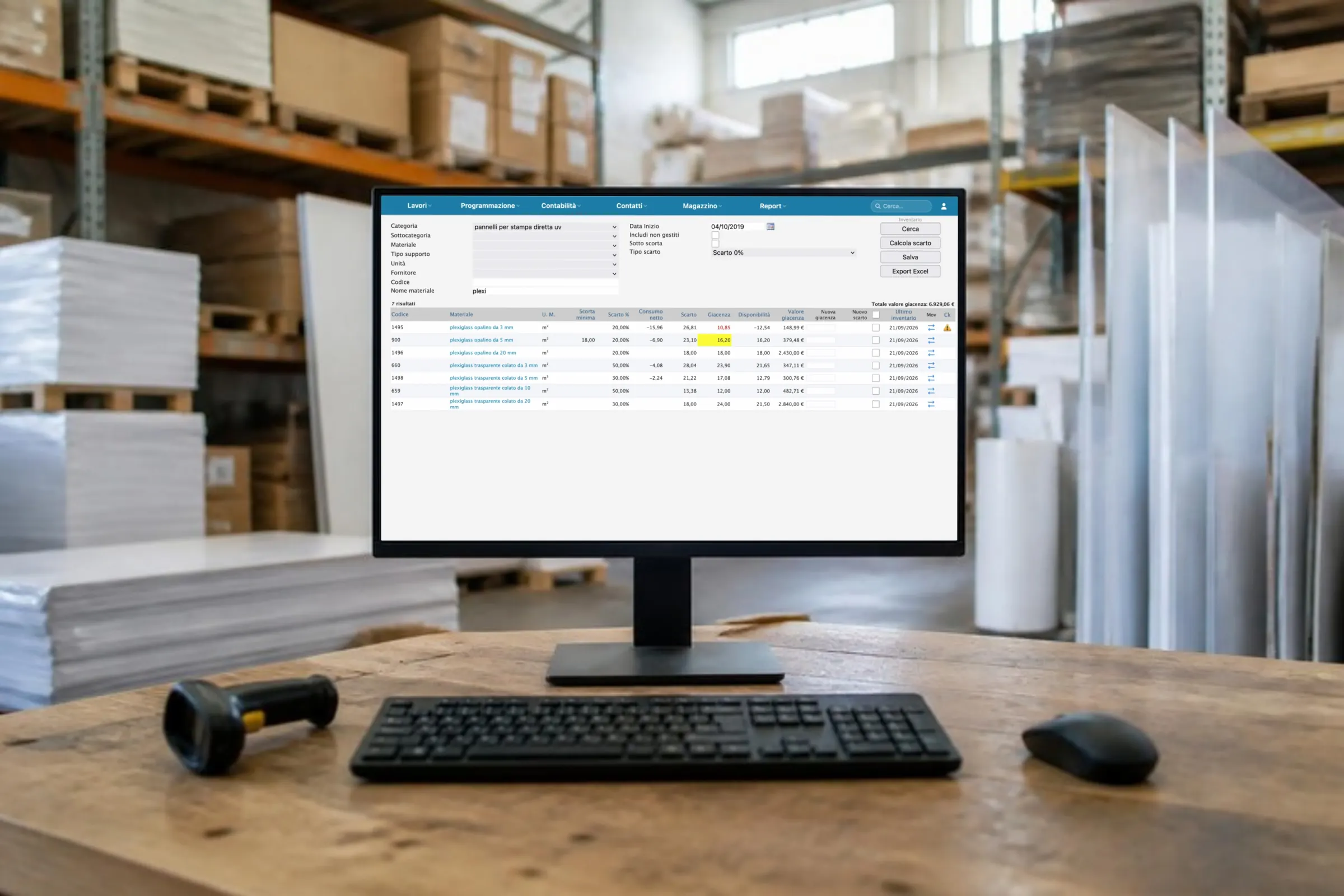
PrinTrace’s inventory module manages stock for print shops and digital printers. Materials, waste, supplier items, orders and deliveries all live in one place. Every operation draws down the materials it uses. You know exactly how much paper you have, how much you’ve wasted, and when to reorder.
Inventory management in a print shop: what comes in, what goes out, what’s left
A print shop’s inventory is made up of paper, substrates for large format, inks and toner. Then plates, film, adhesives and packaging materials. It comes in with supplier deliveries. It goes out with operations in production. What’s left is what really matters: the stock you can promise a delivery on. PrinTrace’s inventory module records what comes in and what goes out in the same ERP that handles quotes, jobs and invoices. That’s why it’s always aligned with production: when an operation consumes material, inventory knows about it.
The problem with inventory kept in someone’s head
The paper’s run out and the machine is stopped
The job is scheduled for tomorrow, the right ream isn’t there, and the supplier delivers in three days. Nobody had noticed the stock was running low. In PrinTrace, the low-stock alert warns you when a material falls below the minimum stock level.
“How much have we got?” “I’ll go and check.”
Counting by eye, a spreadsheet updated now and then, an order placed just to be safe. The result is double stock of some materials and none of others. In PrinTrace, the quantity of every material updates with recorded deliveries and with the operations that consume it.
Waste that nobody records
Make-ready, proof sheets, trims, reprints: real usage that ends up nowhere. At year end, it turns into vanished margin. In PrinTrace you log the waste on the operation, so the cost of the job is the real one.
Disorder has a cost that adds up. The PrinTrace Mini Analysis 2025, 30 companies, estimates €3,463 to €24,663 a year recoverable. The figure is based on quotes, job tickets, invoices and phone calls, without counting inventory. Download the Mini Analysis (PDF, in Italian) →
How it works
Materials, supplier items and selling prices
You register every material once: paper, substrate, ink, toner, packaging material. To each material you link the supplier items: the same material as each supplier sells it. You also set the selling price, for materials you resell or charge on to the client.
Cart and supplier orders
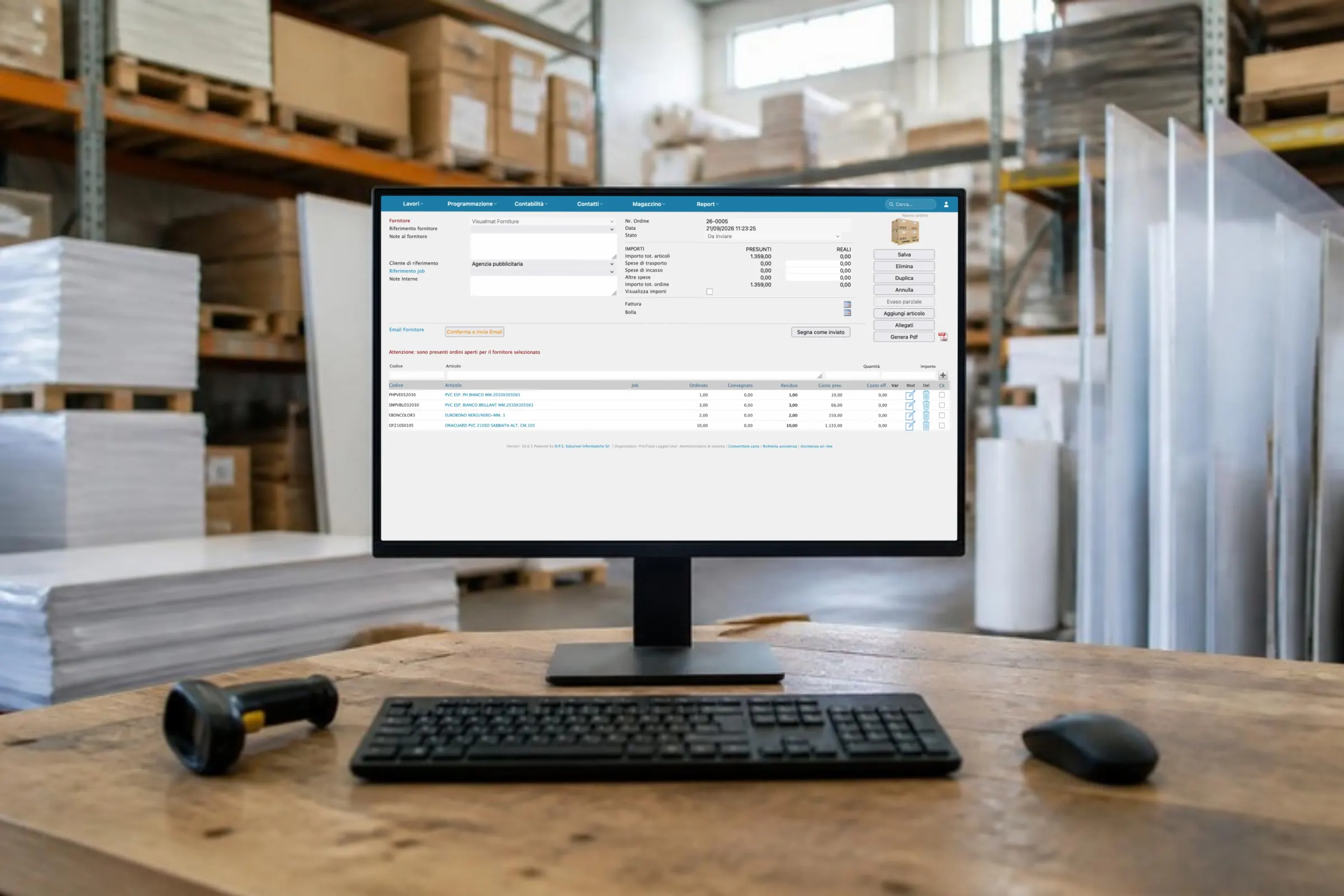
When you need material, you put it in the cart, like an online shop. You add the paper for next week’s job, the toner, the plates. When you’re ready, PrinTrace creates the supplier order and you send it from the ERP. The order lists the items exactly as the supplier names them.
Recording the delivery
Does the goods arrive? You record the delivery against the order and the quantity enters inventory. From that moment the material is available for operations. You can check open orders at any time, so you know what you’re still waiting for.
Usage per job and waste
Every operation draws down from inventory the materials it uses: paper, substrate, packaging material. You log the waste on the same operation: make-ready, proof sheets, trims. So every job has its real usage and inventory has the true quantity. The comparison between quoted and actual figures, on the job, uses these numbers.
Low-stock alert
For every material you set a minimum stock level. When the quantity falls below it, PrinTrace alerts you. You reorder before the machine stops, not after. This applies to paper as much as to toner, plates and packaging materials.
Purchasing and usage statistics
How much of that type of paper have you bought this year? How much have you used? Purchasing and usage statistics answer by material and by period. With the purchasing and usage reports, you plan your buying: you buy what you really use, when you need it. No double stock and no orders placed just to be safe.
What changes in your company
- No machine stopped for a missing ream: the low-stock alert arrives first.
- One quantity, the real one: deliveries recorded coming in, operations going out.
- The cost of the job includes waste, not just the paper you planned for.
- Purchases planned on actual usage, not on the feeling that it’s “running out”.
In 2025, companies using PrinTrace tracked 295,962 production operations. Aggregated data from active customers. See all the results →
What’s a well-run inventory worth? The PrinTrace Mini Analysis 2025 doesn’t measure it: its €3,463, €12,617 and €24,663 a year recoverable exclude inventory, delivery notes and production. These are conservative figures. See the three case types →
One set of data, from quote to invoice
PrinTrace’s inventory doesn’t live on its own. The quote and inventory sit in the same ERP, with the same master data. The job draws down materials when an operation consumes them, waste included. You register supplier invoices in accounts payable. Usage and purchases end up in the dashboard‘s indicators, with the alert thresholds you set.
Frequently asked questions about inventory
How do you manage inventory in a print shop with PrinTrace?
You register materials once, with supplier items and selling prices. Deliveries come in by recording them against the order, operations draw down what they use, and you note waste on the job. The low-stock alert tells you when to reorder. Purchasing and usage statistics and reports help you plan your buying. All in the same ERP as quotes and jobs.
How do I know how much material I really have in the company?
The quantity of every material moves with two records: the supplier delivery coming in, and the operation’s usage going out, waste included. There’s no separate file to update. Open the material and see how much is left, from a PC, tablet or smartphone.
Is inventory linked to production?
Yes. Every operation within a job draws down the materials it uses and records the waste. The quantity in inventory falls as the job progresses, and the actual usage stays on the job. So the comparison between quoted and actual figures accounts for the paper really used, not just the paper planned for.
Can I place supplier orders from PrinTrace?
Yes. You put the materials in the cart, PrinTrace creates the supplier order and you send it from the ERP. When the goods arrive, you record the delivery against the order and the quantity enters inventory. Purchasing statistics then tell you what you’ve bought and how much.
How do I avoid running out of paper?
With the low-stock alert. You set a minimum stock level for every material and PrinTrace warns you when the quantity falls below it. With usage statistics you see how much of each material you use. So you plan purchases before you need them, not on the day it runs out.
Want to see your own inventory in PrinTrace?
Bring us the list of the materials you use most. In 45 minutes, online or in person, we’ll load them together and follow an operation from the cart to the waste record.
Tel. +39 06 5290689 · info@printrace.eu
DPS Soluzioni Informatiche, Viale Giorgio Ribotta 11, 00144 Rome, Italy