Jobs and production under control, department by department
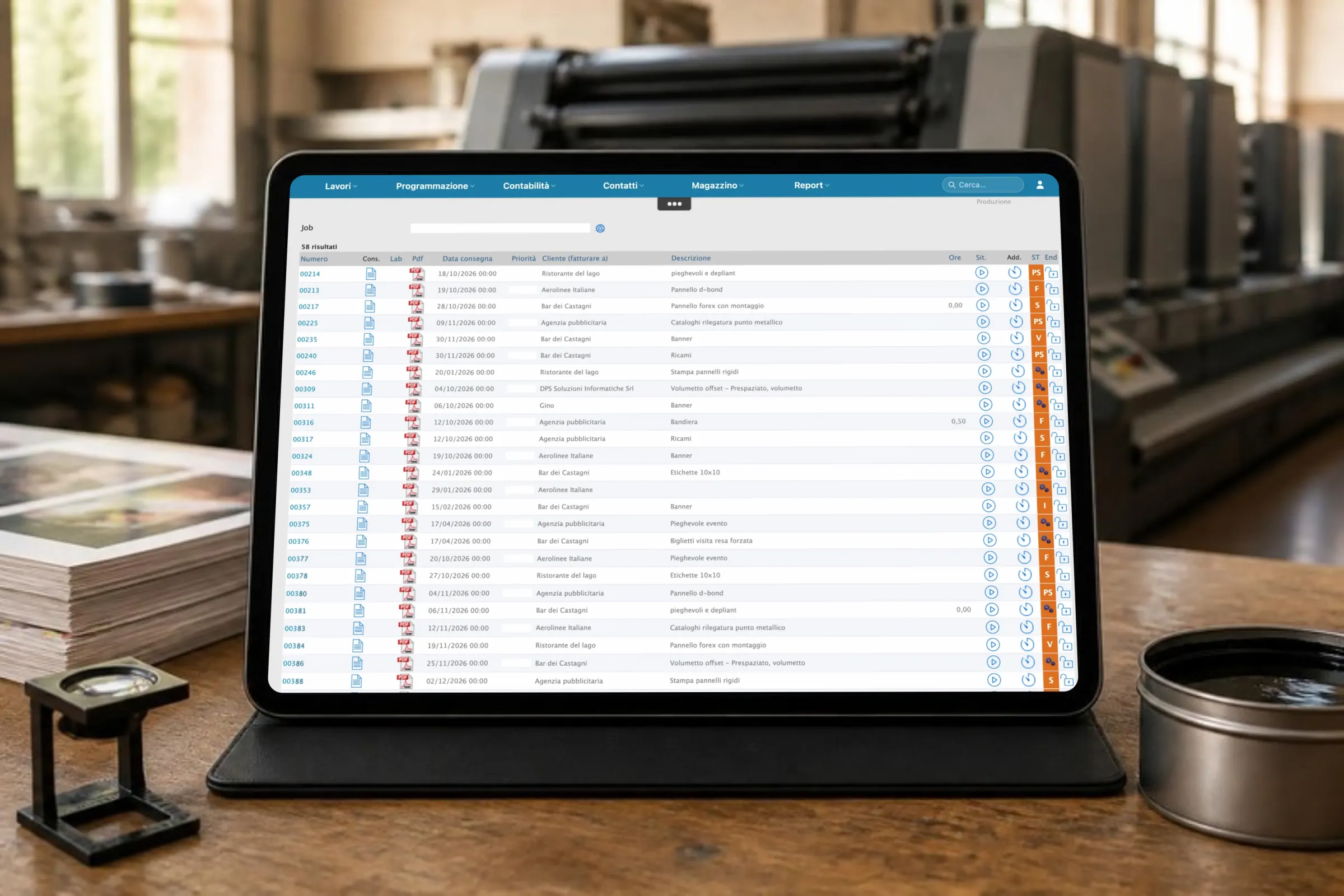
PrinTrace’s job management module covers the print shop’s jobs from accepted quote to delivery. Order confirmation, job ticket, department workflow, job status and time sheets all live in one place. You know where every job stands without walking over to ask.
Job management in a print shop: job, operation and job ticket
At PrinTrace, the job is the customer’s order. An operation is a single process within the job: printing, laminating, cutting, packing. A job can have just one operation or ten. Each operation has its own job ticket, its own department, its own status and its own timing. PrinTrace’s job management module keeps all of this together, for print shops and digital printing companies.
The problem with production tracked by word of mouth
“Where’s my job?”
Every phone call costs five minutes for the person who answers and the person who goes to check. At 3 requests a day that’s 72.5 hours a year, about €1,813. At 10 requests a day it’s 242 hours, about €6,042. At 15 requests a day it’s 362.5 hours, about €9,063. In PrinTrace, the status of every operation is visible to whoever needs to know it.
The job ticket written out by hand
Paper, format, print run, finishing: the same information as the quote, copied out again. A company with 230 operations a month spends 230 hours a year just filling them in. With PrinTrace, the job ticket is generated from the quote and the time drops by 50%. That’s 115 hours recovered, about €2,875 a year.
Nobody knows what a job really cost
The job goes out, the client pays, but nobody has recorded the real time and materials. At year end, the margin is just a feeling. In PrinTrace, every job compares quoted against actual.
Estimates from the PrinTrace Mini Analysis, 30 companies, 2025, conventional hourly cost €25 an hour, 290 working days. Download the Mini Analysis (PDF, in Italian) →
How it works
From quote to order confirmation
The client accepts the quote. The job is created with one click and you send the order confirmation. Does the client order 20,000 leaflets to be collected in several deliveries? You register a call-off order and track each delivery on the same job. Print files, approved proof, the client’s email: you attach them to the job and whoever works the operation finds them there.
The job ticket is generated already filled in
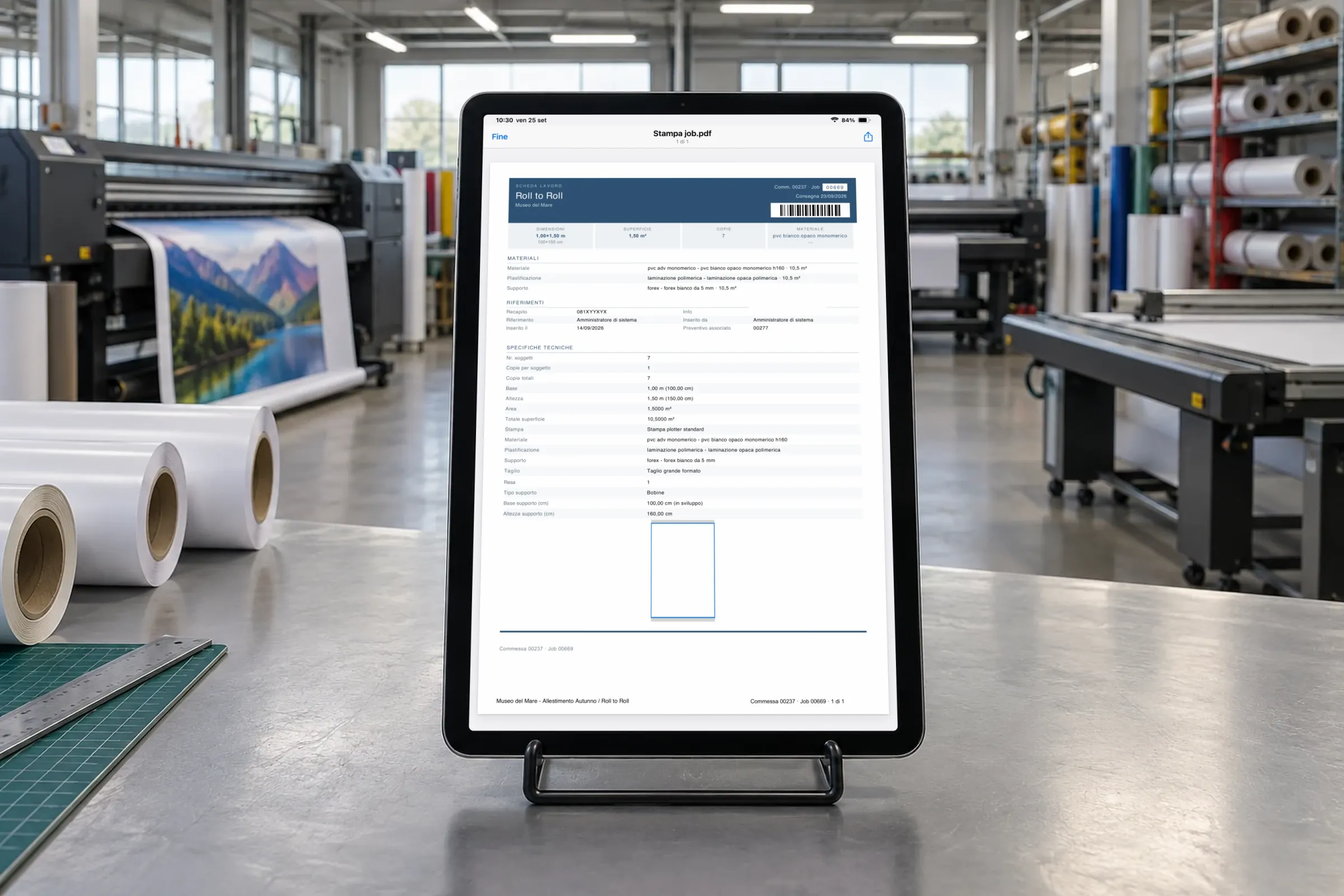
For every operation, PrinTrace generates the job ticket with the full specification: paper, format, colours, machine, finishing, quantity, delivery date. The data comes from the quote, so nobody copies it out again. You print it for the department or read it on screen from a tablet or smartphone. If the client changes something, you update the job and reprint the ticket. PrinTrace tracks the change and the resulting price change.
Workflow by department and operator
You assign the job to a workflow: prepress, printing, finishing, packing, dispatch. Each step goes to a department or an operator. Whoever closes a step updates the status in PrinTrace and the operation moves to the next department. Open the job and see where every operation stands, who it’s assigned to, and how long it has taken. Checking the statuses replaces the walk round the department and the phone call to the machine minder.
Planning and assigning tasks
You plan the week’s tasks and assign them to people. Every operator knows what to do and in what order. An urgent job comes in? You move the tasks around and the department sees the new plan.
Recording actuals and time sheets
At the end of the job, you record the time and materials actually used: that’s recording actuals. For every operator you create a time sheet with the hours spent on each task. So every job has quoted and actual figures side by side. Inventory records the materials used and the waste on the same operation.
Reports and the quoted-versus-actual comparison
Reports on jobs and tasks show you what was produced and how long it took. For every job you compare the quoted figures with the actuals: hours, materials, operations. Does one type of job always cost more than expected? You see it here and correct the quote next time. The same data feeds the company dashboard.
What changes in your company
- Fewer “where’s my job?” calls: the status of every operation lives in PrinTrace, not in the department head’s memory.
- Half the time on job tickets: the ticket is generated from the quote, with no transcription errors. Estimate from the 2025 Mini Analysis, 30 companies.
- Actual figures for every job, not a feeling at year end.
- A history for every job: who did it, when, with which materials, how long it took.
In 2025, companies using PrinTrace tracked 295,962 production operations. Aggregated data from active customers. See all the results →
Case type C, a structured company. 8,400 operations a year, 5 minutes per handwritten job ticket: 700 hours. With the ERP, 50% less: 350 hours recovered, about €8,750 a year. On top of that, 15 “where’s my job?” calls a day are worth 362.5 hours, about €9,063. PrinTrace Mini Analysis 2025, 30 companies, conventional hourly cost €25 an hour. Average figures, not a promise.
One set of data, from quote to invoice
The PrinTrace job is created from the accepted quote. As production moves forward, inventory records materials and waste on every operation. On delivery, the delivery note and invoice reuse the same job data. Your clients see the status of their jobs in the customer portal, without calling you. The dashboard reads time, usage and revenue from the same jobs.
Frequently asked questions about jobs and production
What’s the difference between a job and an operation in PrinTrace?
The job is the customer’s order, created from the accepted quote. An operation is a single process within the job: printing the cover, folding, packing. A job can contain several operations, each with its own job ticket, department and status. The comparison between quoted and actual figures is done on the whole job.
How do I know where a job stands without going to the department?
Open the job and you see the status of every operation, the department or operator it’s assigned to, and the time taken. Every step closed updates the status. You see it from a PC, tablet or smartphone. Clients with portal access see the status of their jobs themselves.
Do I have to fill in the job ticket by hand?
No. PrinTrace generates the job ticket from the quote data: paper, format, colours, machine, finishing, quantity, delivery. The 2025 Mini Analysis, 30 companies, estimates 50% less time than a handwritten ticket. With no transcription errors.
Can I assign operations to different departments and operators?
Yes. Every job follows a workflow with steps assigned to a department or an operator. You plan the tasks, assign them and check their status. At the end of the job, time sheets record each person’s hours on each task, for recording actuals.
How do I link the quote to the real cost of the job?
By recording actuals. You log the real time, materials and tasks on every operation and PrinTrace compares them with the job’s quoted figures. You see straight away where the job cost more than expected. The same data feeds the dashboard for management control. In the 2026 customer survey, recording actuals on operations was the most frequently mentioned feature.
Want to see your own jobs in PrinTrace?
Bring us a typical job, from quote to delivery. We’ll build it together in 45 minutes, online or in person.
Tel. +39 06 5290689 · info@printrace.eu
DPS Soluzioni Informatiche, Viale Giorgio Ribotta 11, 00144 Rome, Italy